How to Stay Anonymous on Omegle Alternatives: Complete Privacy Guide 2026

Every day, thousands of people jump into random video chat sessions without thinking twice about what they’re actually revealing. Your IP address, approximate location, browsing habits, and even facial recognition data can all be collected by platforms you thought were harmless. If you’ve been using Omegle alternatives and wondering how to stay anonymous on Omegle alternatives while still enjoying the experience, this guide covers everything you need to know in 2026.
Why Anonymity Matters on Random Chat
Random video chat platforms connect you with strangers from around the world. That’s the whole point. But that also means you’re exposing yourself to people who might have completely different intentions than you do. Anonymity isn’t just about privacy—it can directly affect your safety during online interactions.
When you’re anonymous, you control what information you share and when. You can disconnect without consequences. You’re not leaving a digital trail that could be sold, leaked, or used against you later.
What Platforms Actually Know
Most random chat sites collect more data than users realize. Here’s what typically gets logged:
- IP addresses — Your internet service provider can be traced back to your general location
- Browser fingerprints — Operating system, screen resolution, installed fonts, and plugins
- Session timestamps — When you logged in, how long you stayed, and who you connected with
- Chat logs — Some platforms retain text and video recordings even if they claim otherwise
- Device identifiers — MAC addresses and device-specific tokens
According to Wikipedia’s VPN overview, your IP address functions as a unique identifier similar to your physical mailing address—it tells websites and services exactly where you’re connecting from unless you actively mask it.
Real Risks of Unprotected Chat
Without proper protection, you’re vulnerable to several scenarios that go beyond simple discomfort:
- IP logging by other users — Some chat partners use tools to capture your IP address during video calls
- Data breaches — Smaller Omegle alternatives may not have robust security, making them targets for hackers
- Third-party data sharing — Your usage patterns can be sold to advertisers or analytics companies
- Legal exposure — Some jurisdictions require platforms to log and report user data to authorities
VPN Setup — Your First Line of Defense
A Virtual Private Network encrypts your internet traffic and replaces your real IP address with one from a different location. For anyone serious about privacy on random chat platforms, a VPN for random video chat sites is the single most important tool you can use.
Choosing the Right VPN (No-Logs Policy)
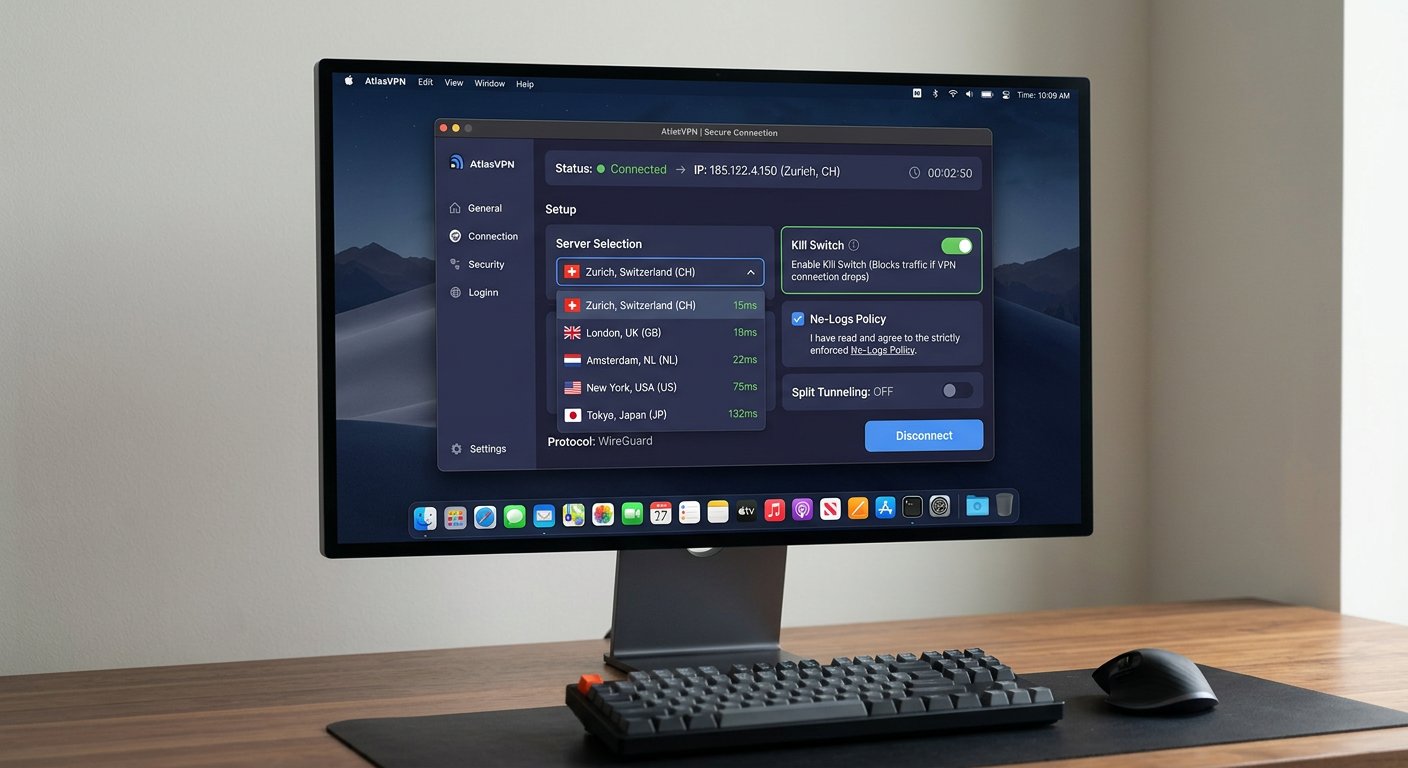
Not all VPN providers are created equal. When selecting a VPN for Omegle alternatives, prioritize these features:
- Strict no-logs policy — The provider must explicitly state they don’t store connection logs, activity logs, or session data
- Kill switch functionality — Automatically disconnects your internet if the VPN connection drops, preventing IP leaks
- Fast connection speeds — Video chat requires stable bandwidth; slow VPNs will cause freezing and disconnections
- Multiple server locations — Ability to switch IPs quickly and access servers in different countries
- OpenVPN or WireGuard protocols — Modern encryption standards that balance security and speed
Looking at options for the best Omegle alternatives in 2026, you’ll notice that privacy-conscious users consistently recommend premium VPN services over free options. Free VPNs often make money through data harvesting—exactly what you’re trying to avoid.
Step-by-Step Configuration
Setting up a VPN for anonymous video chat takes about 10 minutes:
- Download and install — Get the app from your provider’s official website (avoid third-party stores)
- Create an account — Use a fake name and a dedicated email address if possible
- Select a server — Choose a location different from your actual country
- Enable the kill switch — This is critical—never skip this step
- Test your connection — Use an IP checker tool to confirm your real IP is hidden
- Launch your browser — Open your video chat platform and verify everything works smoothly
Testing Your Protection
Before jumping into any chat session, verify that your VPN is actually working:
- Visit ipleak.net to check your visible IP address
- Test DNS leak protection at dnsleaktest.com
- Check WebRTC leaks at browserleaks.com/webrtc
Your real IP address should not appear in any of these tests. If it does, your VPN configuration needs adjustment.
Platform-Specific Privacy Settings
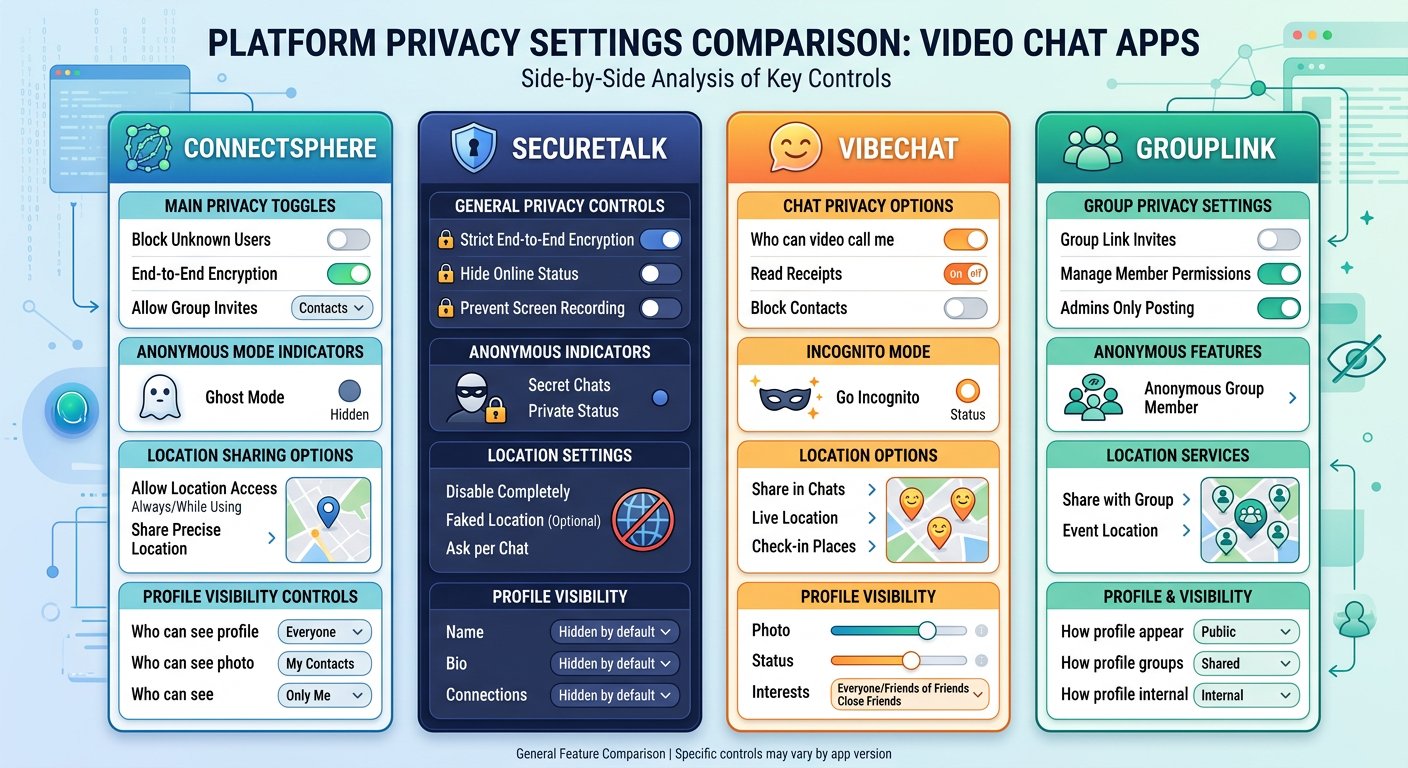
Different Omegle alternatives offer varying levels of privacy controls. Knowing how to use each platform’s settings can significantly improve your anonymity.
OmeTV Privacy Controls
OmeTV allows you to report inappropriate users, but its default settings leave much to be desired. Key actions to take:
- Disable location access when prompted by the browser
- Use the random chat feature in incognito or private browsing mode
- Clear cookies and cache after each session
ChatRandom Anonymity Options
ChatRandom provides a basic gender filter and country filter, but these are optional. For maximum anonymity:
- Skip the registration entirely if possible
- Don’t link any social media accounts
- Use a nickname that contains no personal information
Emerald Chat Privacy Features
Emerald Chat markets itself as a more privacy-friendly alternative. It includes:
- No mandatory account creation for basic use
- Option to block specific countries or regions
- Integrated moderation tools that reduce exposure to bad actors
Browser-Based Alternatives
Platforms that run entirely in your browser (no app download required) generally collect less data than their mobile counterparts. Stick with web-based versions when possible and always use a privacy-focused browser like Firefox with uBlock Origin and privacy.resistantpublicsuffix.org enabled.
Physical Privacy Protection
Digital anonymity means nothing if someone can identify you through your physical setup. Protecting your surroundings is just as important as securing your connection.
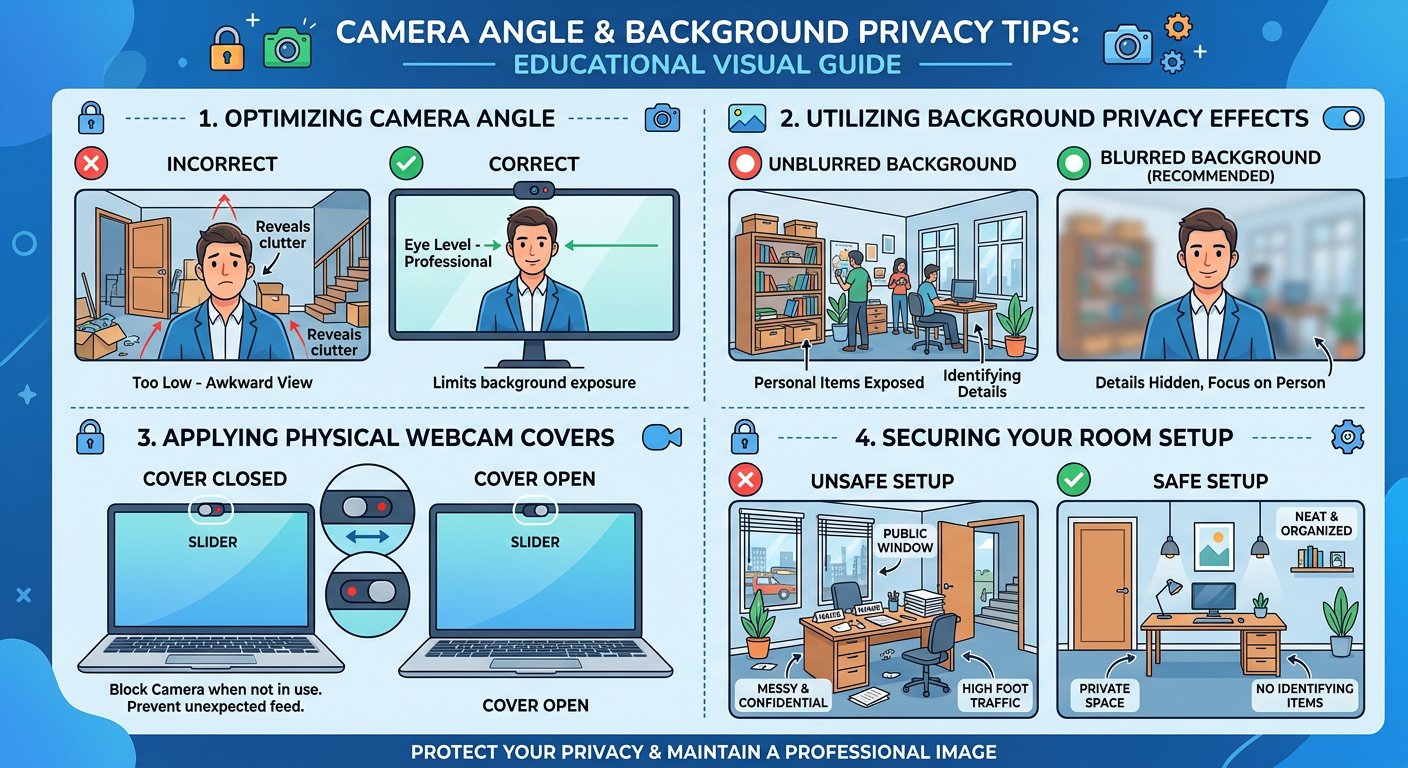
Camera Angle Tips
- Point away from identifying features — Don’t frame windows, artwork, or furniture that could identify your location
- Use a physical cover — Tape or slide a cover over your webcam when not in use
- Adjust lighting — Backlighting can obscure your face while still allowing others to see you
- Test your view before chatting — Open your camera app and see exactly what others can see
Background Visibility
Your background tells people more than you think. Avoid having:
- Family photos on walls
- Visible street signs or building numbers through windows
- Work equipment or company logos
- Any documents containing personal information
A simple neutral background or virtual background (if supported) eliminates most of these concerns.
Voice Modulation Options
Some users prefer to further disguise their voice. You can use voice changers that run as browser extensions or standalone applications. This adds another layer of separation between your online identity and your real self.
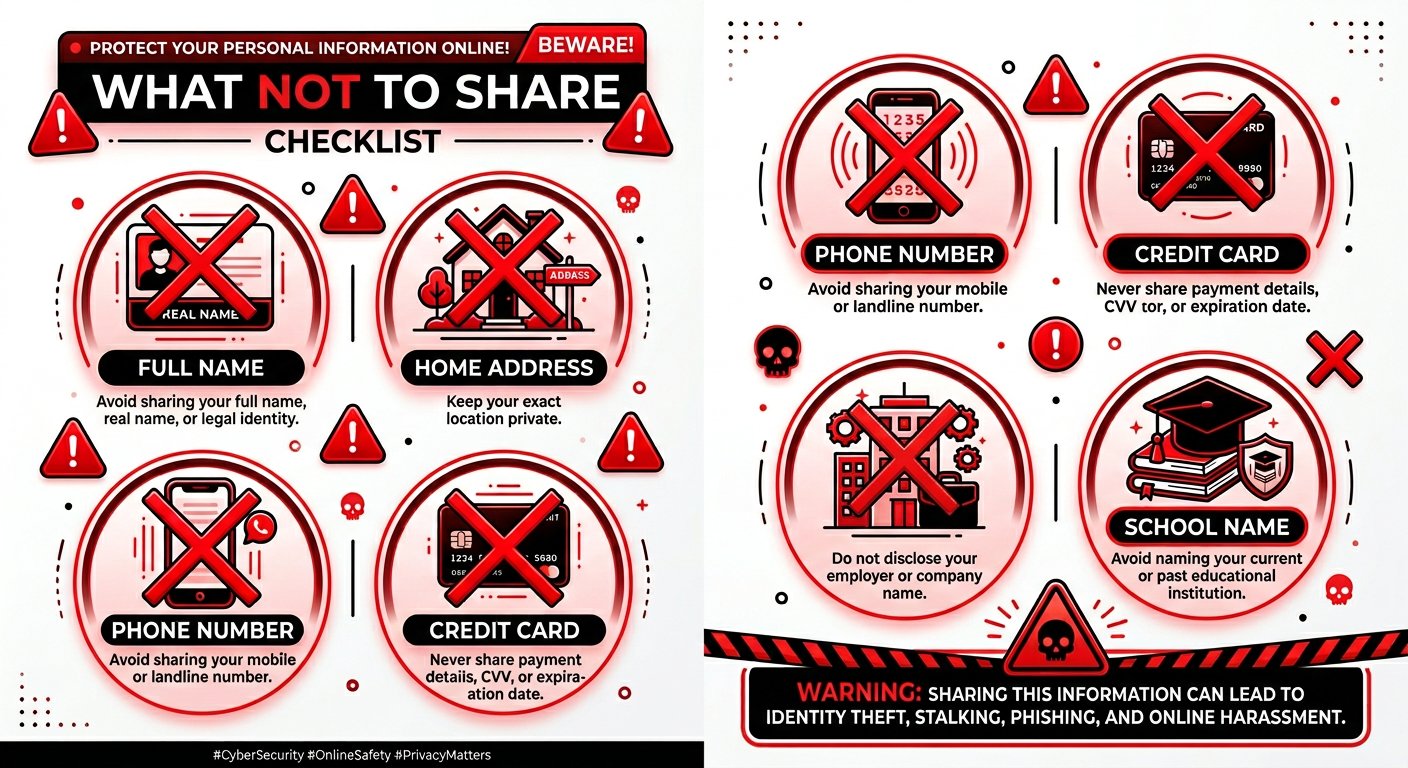
What NOT to Share — Complete List
Even with a VPN active and privacy settings optimized, human error can compromise everything. Here’s what you should never share during random video chat:
- Your real name — Use a completely fake identity
- Phone number — Even partial numbers can be used to find you
- Home address — Even the city or neighborhood is too much information
- Email address — Create a dedicated throwaway if needed
- Social media profiles — These can be used to find your real identity
- Workplace information — Company name, job title, or office location
- School or university name — Students especially need to be careful about this
- Financial information — Never share banking details, card numbers, or payment app handles
- Photos that can be reverse-searched — Any image that appears elsewhere online can be traced back to you
FAQ — Anonymous Video Chat
Can I use a free VPN for random chat sites?
Free VPNs typically have data caps, slower speeds, and questionable logging policies. For serious privacy on video chat platforms, a paid service with a verified no-logs policy is strongly recommended. As the Electronic Frontier Foundation notes, free services often monetize through data collection—the opposite of what you want.
Does incognito mode make me anonymous?
No. Incognito or private browsing only prevents local storage of your browsing history and cookies. Your IP address, ISP records, and platform data collection remain completely visible. You need a VPN to achieve true anonymity.
Can other users see my real IP address?
Without a VPN, yes. The platform itself can log your IP, and sophisticated chat partners can potentially capture it through WebRTC leaks or direct connections. A VPN hides your real IP from both the platform and other users.
Should I use my real photo as an avatar?
Never. Using a real photo of yourself—even if cropped or filtered—defeats the purpose of anonymity. Use abstract avatars, AI-generated images, or simple icons instead.
How often should I change my VPN server?
Consider switching servers every few sessions or at least once per week. Some platforms log user patterns over time, and rotating your IP address makes it harder to track your activity across multiple visits.
What’s the biggest mistake people make when trying to stay anonymous?
The most common error is partial protection—using a VPN but still logging in with real social accounts, or enabling privacy settings while keeping location sharing on. Complete anonymity requires a holistic approach: connection security, account anonymity, physical privacy, and careful information sharing all working together.
Further Reading
If you’re looking for comprehensive testing results of VPN performance across dozens of random chat platforms, check out our detailed analysis of the best sites like Omegle in 2026 where we evaluate each platform’s privacy features, data retention policies, and security infrastructure.